
CAD MARKUP & ANNOTATION PLATFORM
BIMECO Markup Tool
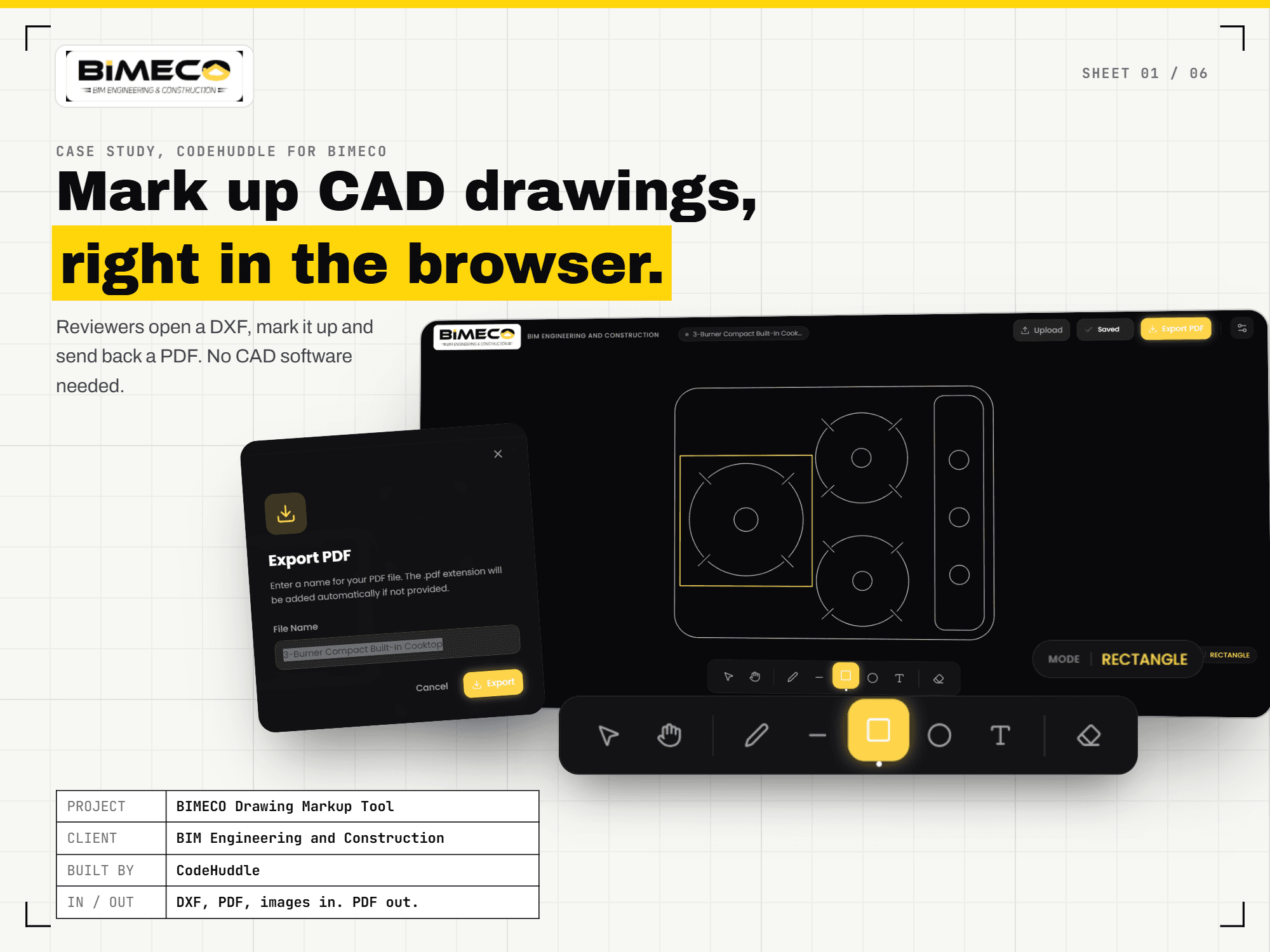
A browser-based markup tool for DXF drawings, PDF sheets, and image overlays — with pan/zoom canvas navigation, drawing and text annotations, and client-side PDF export of the exact current view.
About the Project
BIMECO Markup Tool
BIMECO Markup Tool helps teams review and annotate construction and design files without heavy desktop CAD software. Users load DXF drawings, PDF first pages, or PNG/JPG overlays onto an infinite canvas, navigate with pan and zoom, mark up with freehand, shapes, and text, then export the exact view — background, geometry, and markups — as a PDF generated in the browser. DWG files are intentionally blocked with a clear conversion path to DXF, so the product stays reliable on open formats.
CAD markup workspace
DXF in.Annotated PDF out.
Load drawings and sheets, mark them up on an infinite canvas, and export the exact view — without sending files to a server for PDF generation.
Build a markup tool like this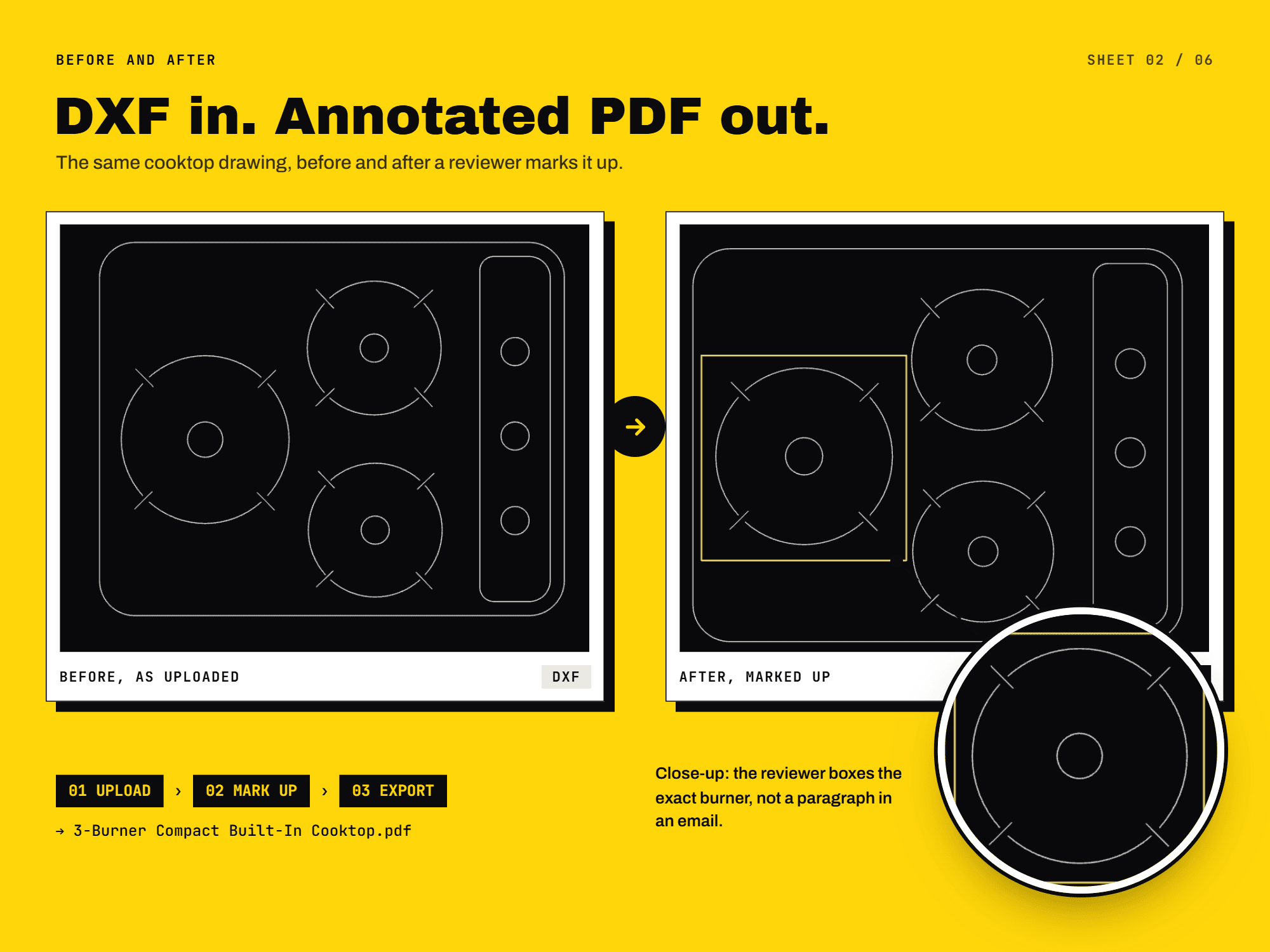
Load
DXF, PDF, images
Mark up
Draw, text, style
Export
Client-side PDF
Project Deep Dive
Project Deep Dive
Unpacking the architecture, innovations, and real-world results
Load DXF, PDF, and image overlays
Users open ASCII DXF files with parsed 2D entities and auto-detected units from the file header. PDF sheets render the first page as a high-resolution background, while PNG, JPG, and JPEG files can be placed as overlays. Attempts to open proprietary binary DWG files trigger a clear alert recommending conversion to DXF — so unsupported formats never fail silently.
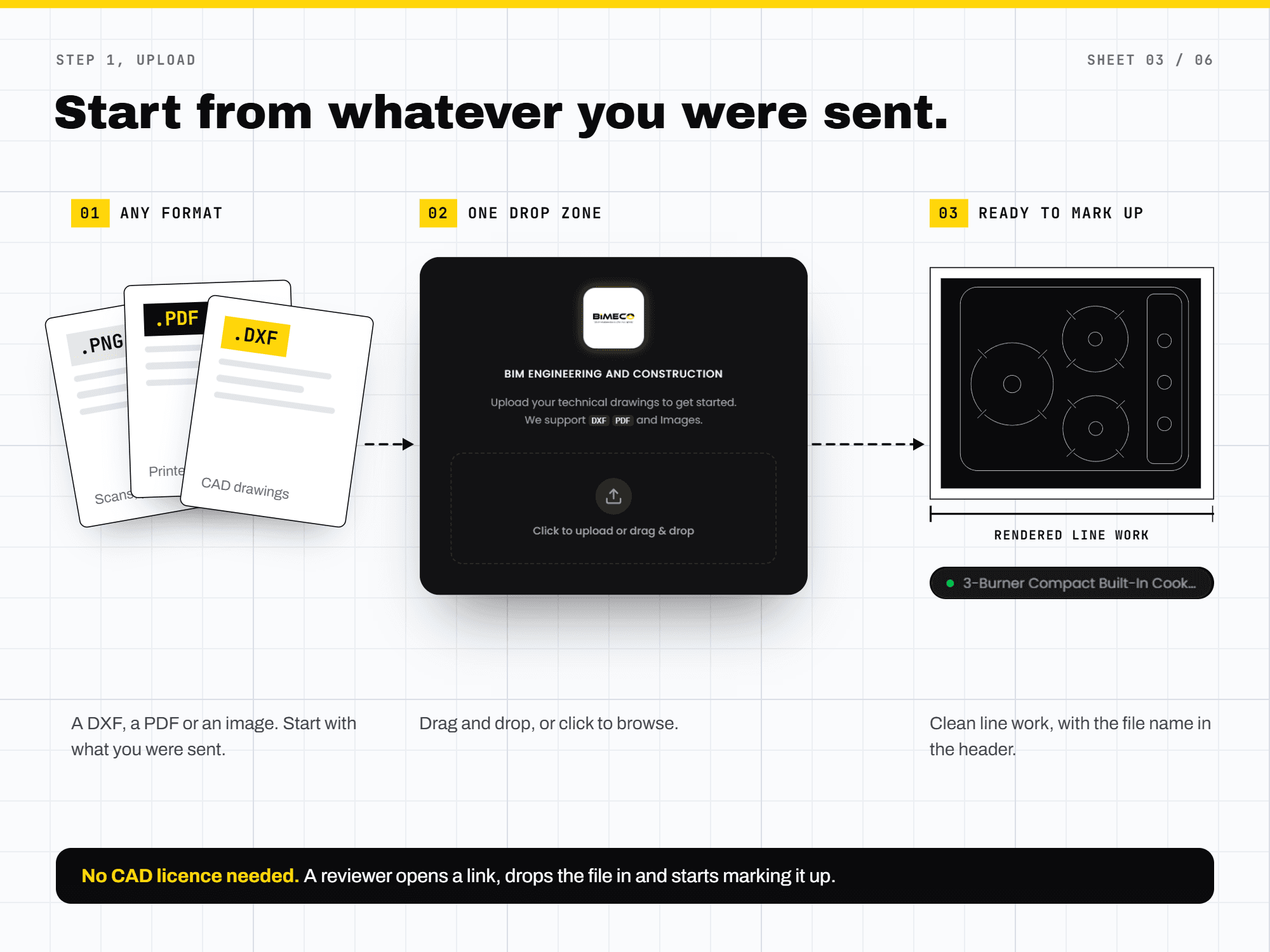
Infinite canvas with auto-fit framing
Reviewers pan across an infinite canvas and zoom in or out freely. On load, the system auto-zooms and centers on DXF bounds or image size so the drawing is immediately readable. A status display keeps the active tool and current file name visible while navigating.
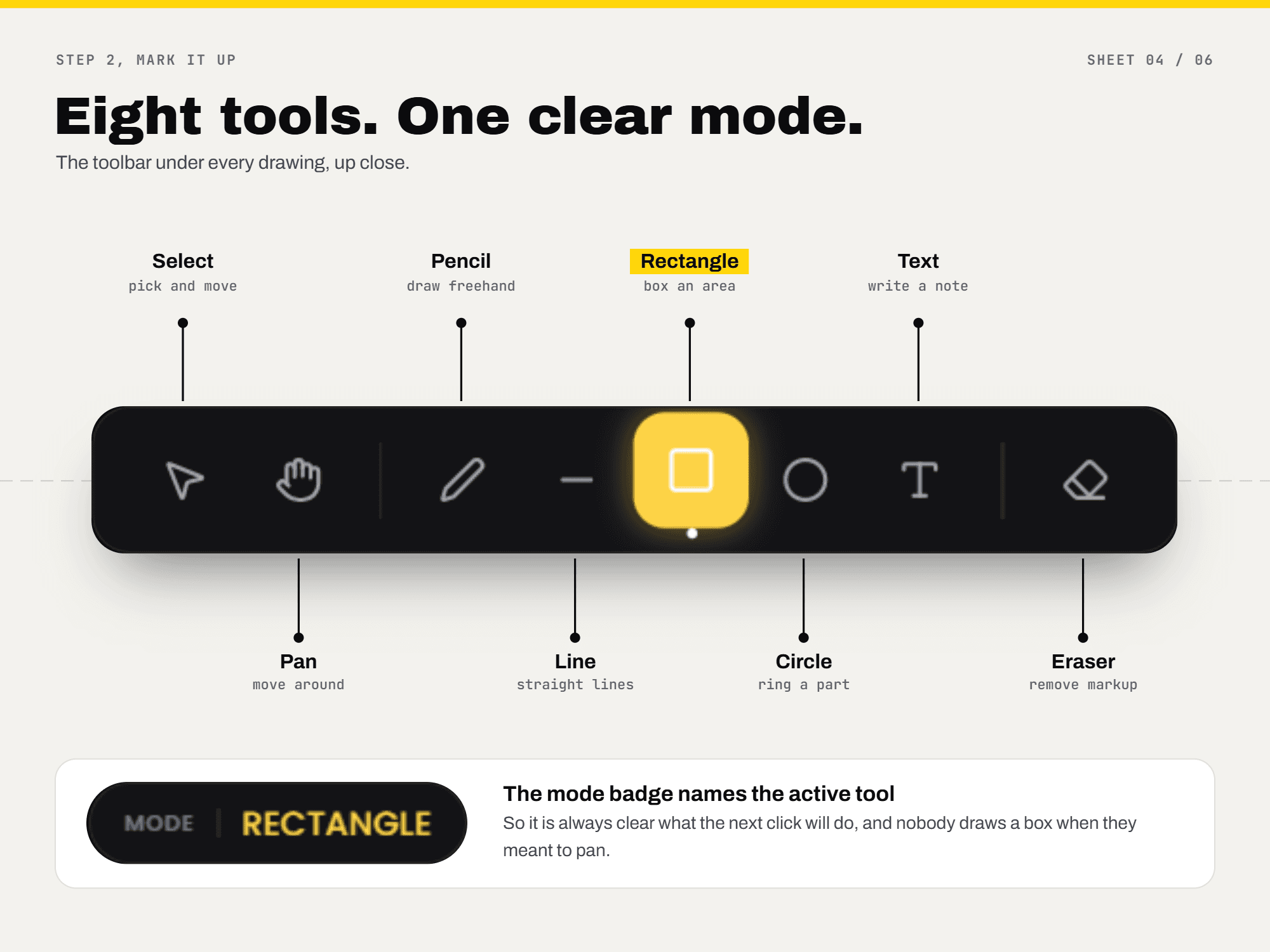
A focused toolbar for review markups
Select and Pan tools handle editing and viewport movement. Freehand, Line, Rectangle, and Circle cover common annotation shapes; text labels support adjustable font size. An eraser removes marks, while the properties panel controls stroke color and line width — including color-coded comments for clearer review threads.
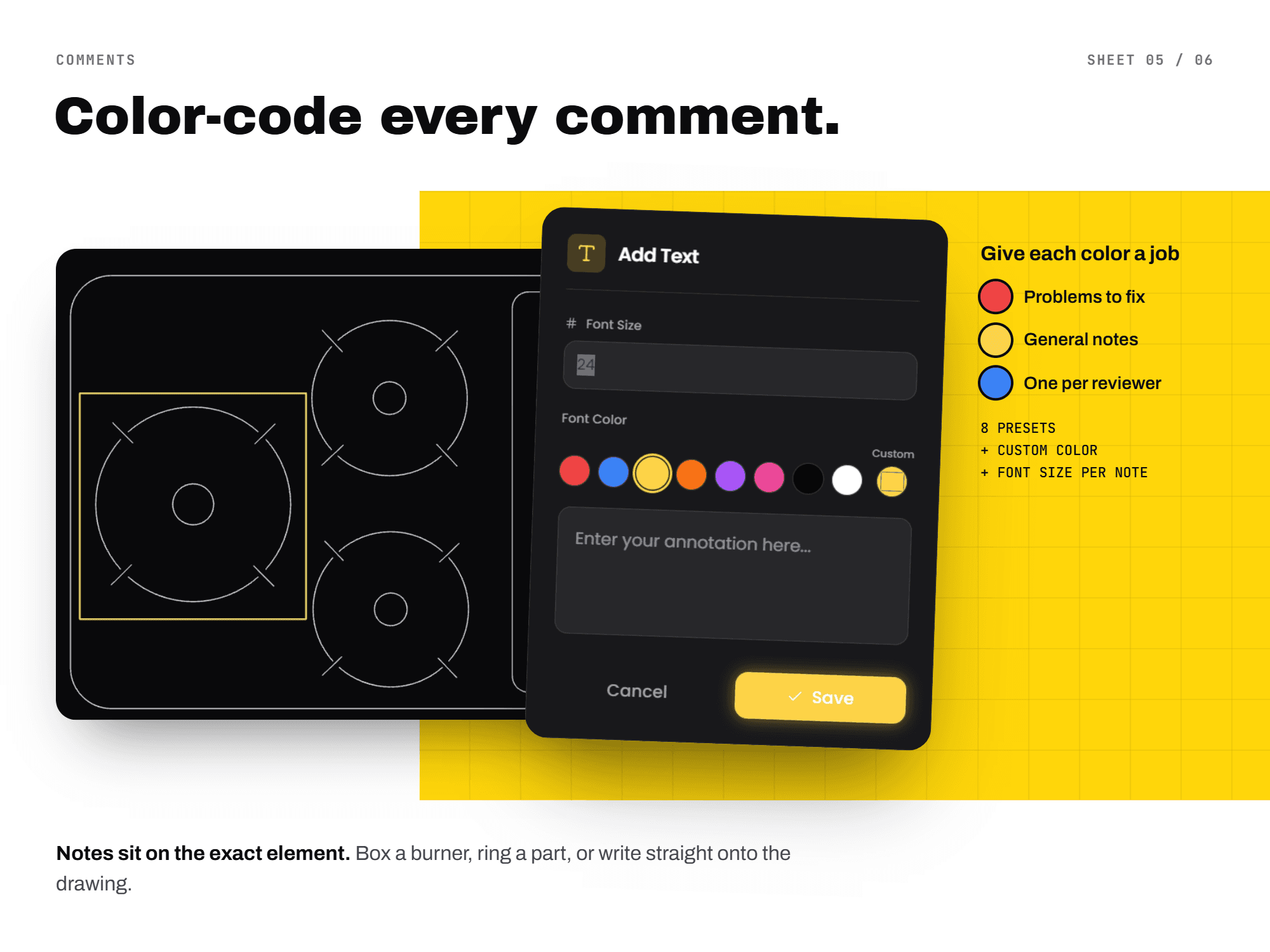
Client-side PDF of the exact current view
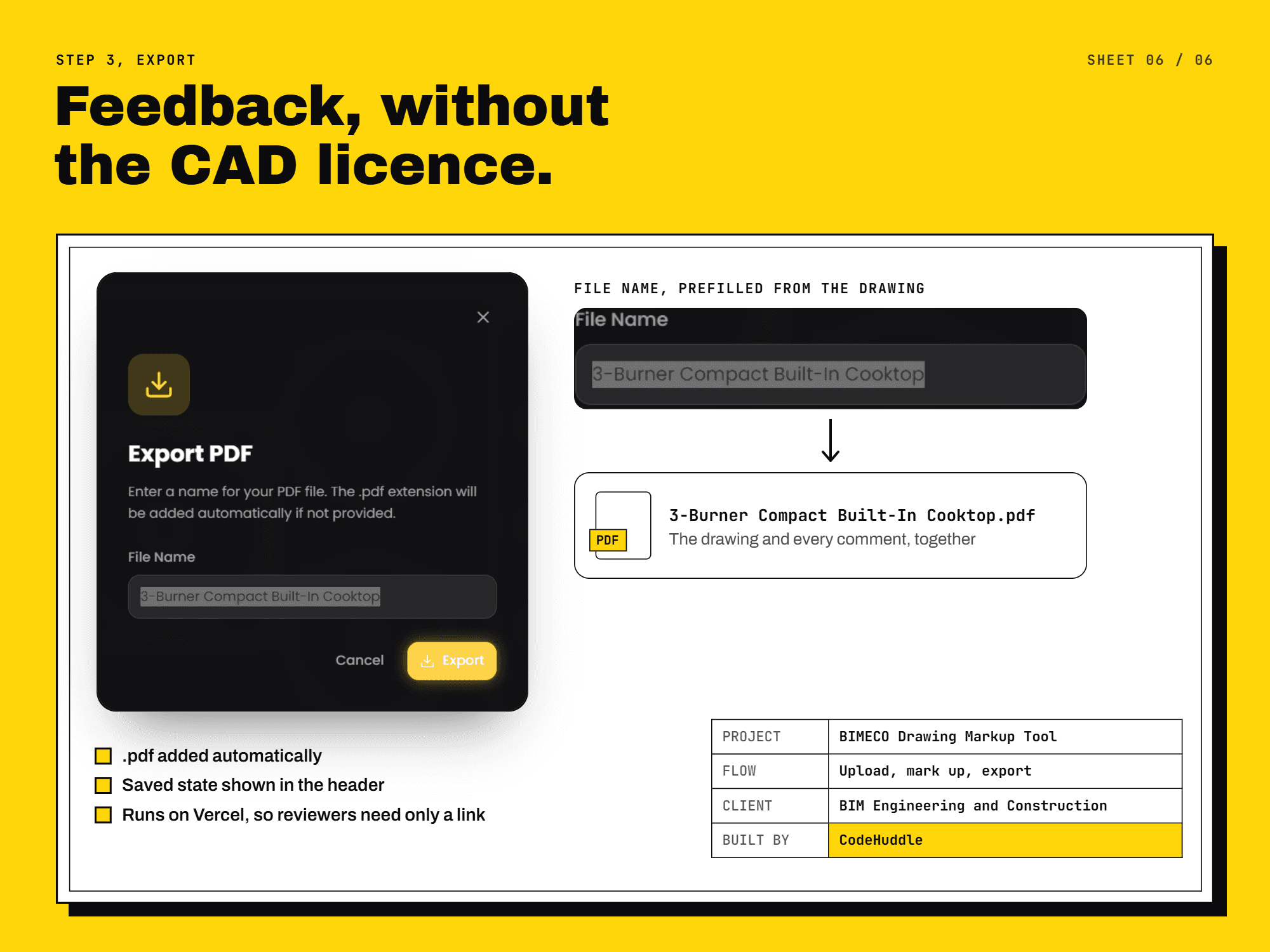
Export captures the exact on-screen composition: background content, CAD geometry, and user markups. The PDF is generated client-side without uploading the drawing to a server for export, so reviewers can download a shareable snapshot of what they see.
Key Outcomes
Key Outcomes
Measurable results that demonstrate the impact of thoughtful design
DXF + PDF + images
open formats and overlays for review without proprietary DWG dependency
Infinite canvas
pan, zoom, and auto-fit framing around loaded drawing bounds
Markup toolkit
freehand, shapes, text, eraser, and stroke styling in one toolbar
Client-side PDF
export the exact view with geometry and markups, no server upload for export
Build with Code Huddle
Want to build a CAD markup or drawing review tool like BIMECO?
Next Project
GYMYG
Questions
Frequently asked questions
Straight answers about this CAD markup tool and how we scoped the delivery.